The most important criteria to consider when choosing the best Forex broker for TradingView are direct TradingView integration for chart trading (ideally without third-party bridges), low all-in trading costs (tight spreads + fair commissions), strong regulation/trustworthiness, and high execution quality (liquidity, low latency/slippage) plus overall platform/market range.
Pepperstone is the best TradingView Forex broker overall, thanks to offering direct TradingView order placement, ultra-competitive pricing (notably on raw-spread style accounts), strong multi-jurisdiction regulatory coverage, and fast execution with broad platform flexibility (TradingView + MT4/MT5/cTrader) and a very accessible account setup.
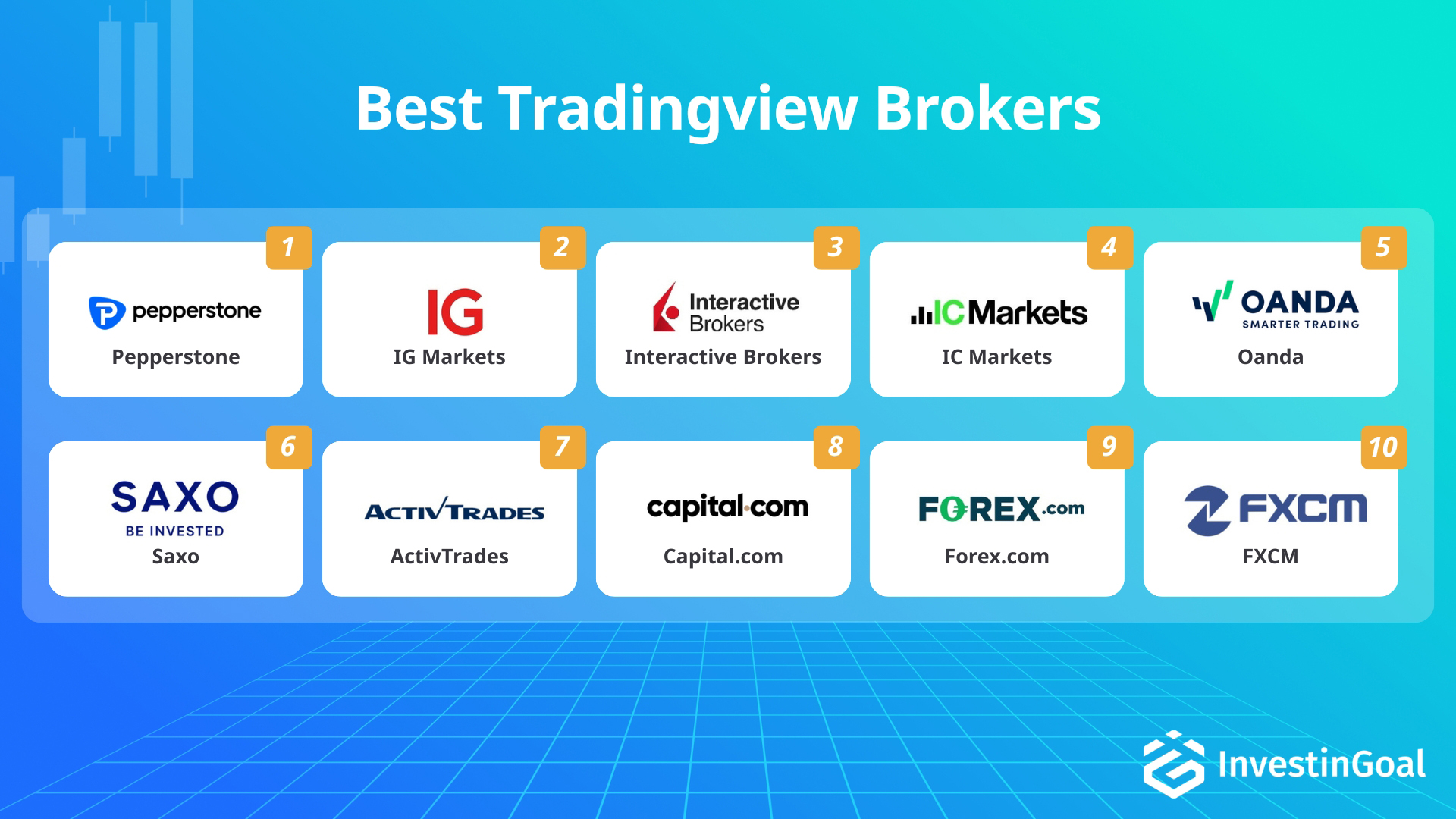
Next in line after Pepperstone, the best TradingView FX brokers for TradingView integration quality, pricing, safety, and execution include IG, Interactive Brokers (IBKR), and IC Markets. IG showcases top-tier regulation and a very large product range tradable from TradingView with consistently competitive spreads. Interactive Brokers (IBKR) includes institutional-grade market access and very low, commission-based FX pricing that suits advanced traders. IC Markets facilitates direct TradingView execution with deep liquidity and consistently ultra-low raw spreads that suit scalpers and systematic traders.
Some of the best TradingView brokers, such as Pepperstone, IG, and IC Markets, are also considered among the best Forex brokers overall thanks to consistently low trading costs, fast execution, and robust multi-platform support.

Pepperstone
(Best TradingView Forex broker overall)
Pepperstone is the best TradingView forex broker thanks to direct TradingView order execution on Razor (raw-spread) accounts, 0.1-pip average EUR/USD Razor spreads, and low-latency execution backed by deep liquidity. Pepperstone is an exceptional choice for TradingView-first forex traders because its no-bridge connection supports direct order placement from TradingView’s advanced charts while keeping Razor pricing extremely tight on major pairs. Pepperstone’s direct TradingView order execution on Razor accounts provides traders with one-click chart trading without relying on third-party bridges.
-
Regulations:
-
Avg. EUR/USD Spread:
-
Platforms:
Pepperstone Features
The features of Pepperstone are listed below.
- Pepperstone enables direct order execution from TradingView charts on Pepperstone Razor accounts.
- Pepperstone supports TradingView, MT4, MT5, cTrader, and Pepperstone’s web platform.
- Pepperstone provides a free demo account that stays active with continued use, including via TradingView.
- Pepperstone has no minimum deposit requirement.
- Pepperstone is licensed by FCA, ASIC, DFSA, SCB, CMA Kenya, and additional regulators.
- Pepperstone averages about 0.1 pips on EUR/USD on the Razor account plus a low per trade commission.
Pepperstone Pros and Cons
Advantages of Pepperstone
The advantages of Pepperstone are listed below.
- Stable raw spreads (0,10 pips on EUR/USD on average)
- Caters for algorithmic trading
- Has won over 30 Forex industry awards
Disadvantages of Pepperstone
The disadvantages of Pepperstone are listed below.
- The demo account is not unlimited
About Pepperstone
Pepperstone is a global forex and CFD broker founded in 2010 in Melbourne, Australia. Pepperstone offers trading on currencies, commodities, indices, stocks, and cryptocurrencies through MetaTrader and cTrader platforms. Pepperstone is regulated by multiple authorities including ASIC, FCA, and CySEC. Pepperstone is known for competitive spreads, fast execution, and extensive educational resources. Pepperstone serves clients in over 160 countries worldwide. The Pepperstone CEO is Tamas Szabo.

IG Markets
(Best TradingView Forex broker for CFD variety)
IG is the second best TradingView forex broker due to TradingView access to 17,000+ markets, tight EUR/USD spreads around 0.6–0.8 pips, and deep liquidity suited to multi-asset trading from one interface. IG is an outstanding option for CFD variety on TradingView since logging in with IG credentials unlocks forex, indices (like the US 500), shares, commodities (such as gold), and crypto CFDs (e.g., BTC) in the same TradingView trade panel, so you can trade multiple asset classes from one charting workspace instead of switching between platforms. IG’s 17,000+ market range provides traders with broad instrument coverage directly inside TradingView.
-
Regulations:
-
Avg. EUR/USD Spread:
-
Platforms:
IG Markets Features
The features of IG Markets are listed below.
- IG lets traders connect IG to TradingView and trade IG markets directly from TradingView’s interface.
- IG provides access to 17,000 plus instruments that can be traded through TradingView once IG is connected.
- IG supports TradingView, MT4, IG’s proprietary web platform, and IG mobile apps.
- IG offers a free demo account with virtual funds for CFD trading.
- IG has no minimum deposit requirement.
- IG averages about 0.6 to 0.8 pips on EUR/USD on its standard CFD forex pricing.
IG Markets Pros and Cons
Advantages of IG Markets
The advantages of IG Markets are listed below.
- Low spreads from 0.6 pips on Forex
- Wide range of financial instruments
- 40 years of experience in the Forex industry
Disadvantages of IG Markets
The disadvantages of IG Markets are listed below.
- No copy trading features
- No social trading features
About IG Markets
IG Markets is a global online trading provider founded in 1974, offering access to over 17,000 financial markets including forex, stocks, indices, commodities, and cryptocurrencies. IG Markets provides proprietary trading platforms alongside MetaTrader 4 and ProRealTime. IG Markets is regulated by multiple top-tier authorities worldwide, including the FCA and ASIC. IG Markets is known for competitive spreads, extensive educational resources, and innovative features like weekend trading. The IG Markets’ parent company “IG Group” CEO is Breon Corcoran.

Interactive Brokers
(Best TradingView Forex broker for global exchanges)
Interactive Brokers is the third best TradingView forex broker because of access to 130+ global exchanges via a linked IBKR account, institutional-grade multi-asset execution from TradingView, and highly competitive FX costs (raw EUR/USD spreads often 0.1–0.5 pips plus about $2 per 100k commission). Interactive Brokers is an excellent choice for global-exchange TradingView traders since TradingView can route orders to IBKR across forex, stocks (like NYSE- and NASDAQ-listed shares), futures (e.g., CME contracts), options, and more while you keep TradingView’s indicators, drawings, and custom scripts for multi-market analysis. Interactive Brokers’ 130+ exchange connectivity provides traders with direct access to global venues when trading from TradingView.
-
Regulations:
-
Avg. EUR/USD Spread:
-
Platforms:
Interactive Brokers Features
The features of Interactive Brokers are listed below.
- Interactive Brokers (IBKR) supports TradingView connectivity so traders can place orders from TradingView on IBKR accounts.
- Interactive Brokers (IBKR) provides market access across 130 plus exchanges and multi asset products that can be traded via TradingView.
- Interactive Brokers (IBKR) provides Trader Workstation, Client Portal, mobile apps, API trading, and TradingView integration.
- Interactive Brokers (IBKR) offers Paper Trading for simulated trading with virtual funds.
- Interactive Brokers (IBKR) has no minimum deposit for many cash accounts, with margin minimums varying by region and account type.
- Interactive Brokers (IBKR) delivers raw FX pricing where EUR/USD can trade near 0.1 to 0.5 pips plus about $2 per 100k commission, for roughly 0.6 pips all in on average.
Interactive Brokers Pros and Cons
Advantages of Interactive Brokers
The advantages of Interactive Brokers are listed below.
- Low Trading Fees
- Advanced Trading Tools
- Wide Market Access
Disadvantages of Interactive Brokers
The disadvantages of Interactive Brokers are listed below.
- Not user-friendly
- No MetaTrader Support
- Additional Fees
About Interactive Brokers
Interactive Brokers is a global electronic broker founded in 1978, offering trading in stocks, options, futures, forex, bonds, ETFs, and cryptocurrencies across 150 markets in 33 countries. Interactive Brokers provides advanced trading platforms, low commissions, and access to a wide range of financial instruments. Interactive Brokers is known for its sophisticated technology and serves both retail and institutional clients. Interactive Brokers is regulated by multiple top-tier authorities worldwide. The CEO of the Interactive Brokers Group is Milan Galik.

IC Markets
(Best TradingView Forex broker for scalping)
IC Markets is the fourth best TradingView forex broker for scalping thanks to no-bridge TradingView order execution, a deep liquidity pool supported by 25+ liquidity providers, and raw EUR/USD spreads that often sit at 0.0–0.1 pips on Raw Spread accounts (with roughly $6 per lot round-turn commission). The no-bridge TradingView order execution of IC Markets ranks it among the great choices for TradingView scalpers and alert-driven systems, because fast routing and deep liquidity can reduce slippage on quick in-and-out trades during the most liquid sessions. The no-bridge TradingView execution of IC Markets provides traders with low-latency fills and reduced slippage that matter for scalping.
-
Regulations:
-
Avg. EUR/USD Spread:
-
Platforms:
IC Markets Features
The features of IC Markets are listed below.
- IC Markets enables direct TradingView order execution without a third party bridge.
- IC Markets supports TradingView, MT4, MT5, and cTrader under the same broker environment.
- IC Markets offers deep liquidity routing that supports low latency execution for TradingView chart trading.
- IC Markets provides a demo account that can be used indefinitely with periodic logins.
- IC Markets sets a $200 minimum deposit for most account types.
- IC Markets typically shows 0.0 to 0.1 pips on EUR/USD on Raw Spread accounts plus about $6 per lot round turn commission.
IC Markets Pros and Cons
Advantages of IC Markets
The advantages of IC Markets are listed below.
- Low-latency trading environment
- Institutional level liquidity
- MT4, MT5, cTrader platforms are all available
Disadvantages of IC Markets
The disadvantages of IC Markets are listed below.
- Small amount of educational tools for new traders
- Small range of tradable assets compared to other CFD/Forex brokers
About IC Markets
IC Markets is a global forex and CFD broker founded in 2007 and based in Sydney, Australia. IC Markets offers trading on over 2,250 instruments including currencies, commodities, indices, stocks, and cryptocurrencies. IC Markets provides MetaTrader 4, MetaTrader 5, and cTrader platforms. IC Markets is regulated by multiple authorities including ASIC and CySEC. IC Markets is known for its ECN execution model and low spreads. The IC Markets CEO is Andrew Budzinski.

Oanda
(Best TradingView Forex broker for small positions)
OANDA is the fifth best TradingView forex broker for small positions because of its $0 minimum deposit, long-standing TradingView integration that enables trading directly from TradingView charts, and flexible pricing that includes spread-only EUR/USD averaging about 1.2–1.4 pips or core pricing around 0.0–0.3 pips plus commission. OANDA is a strong option for small-position TradingView forex traders because the $0 minimum deposit and unlimited demo let you practice and go live with minimal upfront funding while still using TradingView’s indicators and drawing tools for trade planning. OANDA’s $0 minimum deposit provides traders with a low barrier to opening and funding a TradingView-linked forex account.
-
Regulations:
-
Avg. EUR/USD Spread:
-
Platforms:
Oanda Features
The features of Oanda are listed below.
- OANDA lets traders execute and manage OANDA trades directly inside TradingView.
- OANDA supports TradingView alongside OANDA Trade web and mobile, and MT4, with MT5 availability depending on region.
- OANDA provides an unlimited demo account with virtual funds.
- OANDA has a $0 minimum deposit for its standard account.
- OANDA is regulated by CFTC and NFA, FCA, IIROC or CIRO, ASIC, MAS, and additional regulators by region.
- OANDA averages about 1.2 to 1.4 pips on EUR/USD on its spread only pricing, while OANDA Core Pricing tightens EUR/USD toward 0.0 to 0.3 pips plus commission.
Oanda Pros and Cons
Advantages of Oanda
The advantages of Oanda are listed below.
- Comprehensive Platforms
- Robust Education
- Highly Regulatory Trust
Disadvantages of Oanda
The disadvantages of Oanda are listed below.
- Higher Spreads
- Proprietary Platform Limitations
- Inactivity Fees
About Oanda
OANDA is a global multi-asset broker founded in 1996, offering trading on forex, CFDs, commodities, indices, and cryptocurrencies. OANDA provides proprietary platforms and API solutions. OANDA is regulated by multiple authorities including FCA, ASIC, and MAS. OANDA is known for competitive spreads, fast execution, and currency data services. OANDA serves both retail and institutional clients worldwide. The Oanda Chief Executive Officer is Gavin Bambury since August 2019.

Saxo
(Best TradingView Forex broker for high-net-worth traders)
Saxo Bank is the sixth best TradingView forex broker for high-net-worth traders thanks to tiered account levels (Classic to Platinum around $200,000 and VIP around $1,000,000), access to tens of thousands of instruments through Saxo’s market offering when connected to TradingView, and spread bands that can tighten from roughly 1.0 pip EUR/USD on Classic toward 0.4–0.6 pips on higher tiers. The tiered account pricing of Saxo Bank provides traders with lower spread costs as they qualify for Platinum or VIP levels. Saxo Bank is a solid choice for high-net-worth TradingView forex traders since larger balances and higher tiers can unlock sharper pricing, and TradingView alerts can support disciplined execution (for example, notifying you when EUR/USD hits a pre-set level so you can act without watching the chart nonstop).
-
Regulations:
-
Avg. EUR/USD Spread:
-
Platforms:
Saxo Features
The features of Saxo are listed below.
- Saxo Bank connects Saxo accounts to TradingView so traders can execute Saxo trades from TradingView charts.
- Saxo Bank uses TradingView to enable Pine Script alerts and more advanced TradingView automation style workflows for Saxo users.
- Saxo Bank supports SaxoTraderGO, SaxoTraderPRO, and TradingView integration, without MT4 or MT5.
- Saxo Bank offers a time limited demo account of about 20 days with a large virtual balance.
- Saxo Bank commonly requires around $500 or more for entry level funding depending on region and account tier.
- Saxo Bank typically prices EUR/USD around 1.0 pip on Classic, with tighter EUR/USD pricing for higher tiers.
Saxo Pros and Cons
Advantages of Saxo
The advantages of Saxo are listed below.
- Regulation and Trust
- Extensive Product Range
- Advanced Trading Platform
Disadvantages of Saxo
The disadvantages of Saxo are listed below.
- High Minimum Deposits for Premium Accounts
- Lack of Spread Betting Options
- Custody Fees in Certain Regions
About Saxo
Saxo is a Danish investment bank and online trading platform founded in 1992. Saxo offers trading in forex, stocks, CFDs, futures, options, and other financial instruments across global markets. Saxo provides proprietary trading platforms and white-label solutions for institutional clients. Saxo is regulated by multiple authorities including the Danish FSA and UK FCA. Saxo serves retail and institutional clients in over 170 countries. The Saxo CEO and co-founder is Kim Fournais.

ActivTrades
(Best TradingView Forex broker for MetaTrader users)
ActivTrades is the seventh best TradingView forex broker for MetaTrader users because of MT4 and MT5 support alongside TradingView chart trading, spread-only forex pricing with EUR/USD typically around 0.8–1.0 pips (often ranging 0.8–1.5 pips), and a $0 minimum deposit policy in most regions (with a $500 minimum in Brazil and China). ActivTrades is a very good option for MetaTrader users who also want TradingView because you can keep MT4/MT5 workflows and EAs (Expert Advisors), then use TradingView mainly for analysis, alerts, and discretionary entries on the same broker account. ActivTrades’ MT4/MT5 support alongside TradingView integration helps traders with platform continuity when combining MetaTrader automation with TradingView chart trading.
-
Regulations:
-
Avg. EUR/USD Spread:
-
Platforms:
ActivTrades Features
The features of ActivTrades are listed below.
- ActivTrades integrates with TradingView so ActivTrades clients can trade from TradingView charts through the ActivTrades connection.
- ActivTrades supports TradingView, MT4, MT5, and the ActivTrader proprietary platform.
- ActivTrades provides a demo account that remains active with at least one login every 30 days.
- ActivTrades has a $0 minimum deposit policy for most regions, with $500 minimums for some residents such as Brazil or China.
- ActivTrades is authorized by FCA and regulated via additional frameworks including CSSF and SCB, with other registrations for local EU support.
- ActivTrades targets about 0.5 pips on EUR/USD with spread only pricing, with observed averages around 0.8 to 1.5 pips depending on volatility.
ActivTrades Pros and Cons
Advantages of ActivTrades
The advantages of ActivTrades are listed below.
- Low Trading Costs
- User-Friendly Platforms
- Regulatory Compliance
Disadvantages of ActivTrades
The disadvantages of ActivTrades are listed below.
- Limited Product Range
- Withdrawal Fees
About ActivTrades
ActivTrades is a global online broker founded in 2001, offering trading on forex, CFDs, indices, shares, commodities, and ETFs. ActivTrades provides MetaTrader platforms and its proprietary ActivTrader platform. ActivTrades is regulated by multiple authorities including the FCA. ActivTrades serves clients in over 140 countries and is known for competitive spreads and innovative trading tools. ActivTrades recently introduced zero commission on shares and fractional trading. The ActivTrades CEO and founder is Alex Pusco.

Capital.com
(Best TradingView Forex broker for beginners)
Capital.com is the eighth best TradingView forex broker for beginners thanks to a low $20 minimum deposit (about $50 via bank transfer), commission-free EUR/USD spreads around 0.6–0.7 pips, and a simple TradingView connection for one-click trading from charts. Capital.com is a good choice for beginner TradingView forex traders because its intuitive web/mobile platform (with TradingView-powered charts), unlimited demo, and educational tools reduce setup friction while you learn to analyze and execute trades. Capital.com’s low $20 minimum deposit provides traders with an accessible entry point for funding a live TradingView-linked forex account.
-
Regulations:
-
Avg. EUR/USD Spread:
-
Platforms:
Capital.com Features
The features of Capital.com are listed below.
- Capital.com connects to TradingView so traders can place Capital.com trades directly from TradingView charts.
- Capital.com uses TradingView charting inside Capital.com’s own platform while also supporting TradingView broker integration.
- Capital.com supports its proprietary web platform, mobile app, MT4, and TradingView integration.
- Capital.com provides an unlimited demo account with a virtual balance.
- Capital.com sets a $20 minimum deposit for most payment methods, with bank transfers typically requiring about $50.
- Capital.com prices EUR/USD at roughly 0.6 to 0.7 pips on a spread only model with no added commission.
Capital.com Pros and Cons
Advantages of Capital.com
The advantages of Capital.com are listed below.
- Advanced Technology
- Low Trading Costs
- Regulated and Secure
Disadvantages of Capital.com
The disadvantages of Capital.com are listed below.
- Limited Protection for Professional Clients
- Charges Inactive Fees
- Not user-friendly
About Capital.com
Capital.com is a global online broker founded in 2016, offering trading on forex, stocks, indices, commodities, and cryptocurrencies through CFDs. Capital.com provides proprietary web and mobile platforms alongside MetaTrader 4 and 5. Capital.com is regulated by multiple authorities including FCA, ASIC, CySEC, and SCB. Capital.com is known for its AI-powered trading insights and extensive educational resources. The Capital.com Group CEO is Kypros Zoumidou.

Forex.com
(Best TradingView Forex broker for US traders)
FOREX.com is the ninth best TradingView forex broker for US traders because of CFTC/NFA-regulated U.S. forex access via TradingView, a $100 minimum deposit, and EUR/USD spreads averaging roughly 1.1–1.3 pips on standard pricing. The CFTC/NFA-regulated U.S. forex access via TradingView of FOREX.com places it among the good options for TradingView-based US forex traders, since it lets you execute from TradingView while staying within U.S. retail-forex rules and protections. FOREX.com’s CFTC/NFA-regulated U.S. forex access via TradingView protects traders from lightly supervised offshore counterparties.
-
Regulations:
-
Avg. EUR/USD Spread:
-
Platforms:
Forex.com Features
The features of Forex.com are listed below.
- Forex.com connects with TradingView so traders can execute FOREX.com trades through TradingView’s trading panel.
- Forex.com supports TradingView alongside its proprietary Web Trader, MT4, and MT5.
- Forex.com offers a demo account that is typically available for about 30 days with a virtual balance.
- Forex.com requires a $100 minimum initial deposit for many regions.
- Forex.com is overseen by major authorities including CFTC and NFA in the US plus FCA, ASIC, IIROC, and other regulators by region.
- Forex.com averages about 1.1 to 1.3 pips on EUR/USD on standard pricing, with commission based options in some regions offering lower raw spreads plus commission.
Forex.com Pros and Cons
Advantages of Forex.com
The advantages of Forex.com are listed below.
- Regulatory Assurance
- Low Forex Fees
- Comprehensive Educational Resources
Disadvantages of Forex.com
The disadvantages of Forex.com are listed below.
- Limited Product Portfolio
- Higher Spreads on Standard Accounts
- No Guaranteed Stop-Loss Orders for U.S. Clients
About Forex.com
FOREX.com is a global forex and CFD broker founded in 2001, offering trading on currencies, commodities, indices, stocks, and cryptocurrencies. FOREX.com provides proprietary platforms alongside MetaTrader 4 and 5. FOREX.com is regulated by multiple top-tier authorities including FCA, ASIC, and CFTC. FOREX.com is known for competitive spreads, fast execution, and extensive educational resources. FOREX.com serves over 450,000 clients worldwide. The FOREX.com’s parent company “StoneX Group Inc.” CEO is Sean O’Connor.

FXCM
(Best TradingView Forex broker for algo traders)
FXCM is the tenth best TradingView forex broker for algo traders thanks to its API-friendly TradingView integration, multi-platform support (Trading Station and MT4 alongside TradingView), and competitive EUR/USD spreads around 0.8–0.9 pips on standard accounts in major jurisdictions. FXCM is a good option for algo-focused TradingView forex traders because TradingView can handle charting and alerts while FXCM’s APIs (including Python-accessible tooling) support automated execution and monitoring on the same account. The API-friendly TradingView integration of FXCM helps traders with linking TradingView alerts to rule-based execution and keeping positions monitored without manual chart checking.
-
Regulations:
-
Avg. EUR/USD Spread:
-
Platforms:
FXCM Features
The features of FXCM are listed below.
- FXCM supports TradingView integration so traders can place FXCM orders directly from TradingView charts.
- FXCM supports TradingView, FXCM Trading Station, and MT4 under the same account environment.
- FXCM offers a free demo account that typically starts with a configurable virtual balance and remains available with activity.
- FXCM requires a $50 minimum deposit for most individual live accounts.
- FXCM is regulated by FCA and ASIC and operates under additional regulatory arrangements by region, including Canada via CIRO frameworks.
- FXCM reported EUR/USD average spreads around 0.8 to 0.9 pips in major jurisdictions on standard pricing, with commission based pricing available for lower raw spreads plus commission.
FXCM Pros and Cons
Advantages of FXCM
The advantages of FXCM are listed below.
- Regulation and Trust
- Advanced Trading Tools
- Competitive Spreads for Active Traders
Disadvantages of FXCM
The disadvantages of FXCM are listed below.
- Limited Range of Instruments
- Average Pricing Structure
About FXCM
FXCM is a global forex and CFD broker founded in 1999, offering trading on currencies, commodities, indices, stocks, and cryptocurrencies. FXCM provides MetaTrader 4 and proprietary trading platforms. FXCM is regulated by multiple authorities including FCA, ASIC, and CySEC. FXCM is known for competitive spreads, extensive educational resources, and copy trading services. FXCM recently launched a sister platform called Tradu. The FXCM parent company “Stratos Group” CEO is Brendan Callan.
Comparison of the best tradingview forex brokers
The table that compares the best tradingview forex brokers is shown below.
| Broker | Native TradingView execution (direct/bridge + eligible account type) | EUR/USD all-in trading cost (pips, on stated account) | Minimum deposit (USD) | Tier-1 regulators (count or list) | Supported trading platforms (excluding TradingView) |
|---|---|---|---|---|---|
| Pepperstone | Direct (no bridge) — Razor account | N/A — Razor account (all-in not stated) | $0 | FCA, ASIC, DFSA | MT4, MT5, cTrader, web platform |
| IG Markets | Direct — account type N/A | 0.6–0.8 pips — Standard CFD account | $0 | FCA, CFTC/NFA, ASIC, FINMA, MAS, BaFin, DFSA | Proprietary web platform, mobile app, MT4, L2 Dealer |
| Interactive Brokers | Direct — account type N/A | 0.6 pips — IBKR FX (commission-based model) | $0 | SEC, CFTC/NFA, FCA, IIROC, ASIC, SFC, MAS | TWS, Client Portal, mobile app, API |
| IC Markets | Direct (no bridge) — account type N/A | 0.6 pips — Raw Spread account | $200 | ASIC, CySEC | MT4, MT5, cTrader |
| OANDA | Direct — account type N/A | 1.2–1.4 pips — Standard account (spread-only) | $0 | CFTC/NFA, FCA, IIROC (CIRO), ASIC, MAS | OANDA Trade (web/mobile), MT4, MT5 (certain regions) |
| Saxo | Direct — account type N/A | 1.0 pips — Classic account | $500 | Danish FSA, FCA, MAS, FINMA, SFC, ASIC | SaxoTraderGO, SaxoTraderPRO |
| ActivTrades | Direct — account type N/A | 0.8–1.5 pips — Spread-only (account name N/A) | $0 | FCA, CSSF | MT4, MT5, ActivTrader |
| Capital.com | Direct — account type N/A | 0.6–0.7 pips — Standard account (spread-only) | $20 | FCA, CySEC, ASIC | Proprietary web platform, mobile app, MT4 |
| FOREX.com | Direct — account type N/A | 0.7 pips — STP Pro account | $100 | CFTC/NFA, FCA, IIROC, ASIC | Web Trader, advanced desktop platform, MT4, MT5, mobile apps |
| FXCM | Direct — account type N/A | 0.9 pips — Standard account | $50 | FCA, ASIC, CIRO (IIROC) | Trading Station, MT4, API |
Warning
CFDs are complex instruments and come with a high risk of losing money rapidly due to leverage. Between 74-89% of retail investor accounts lose money when trading CFDs. You should consider whether you can afford to take the high risk of losing your money.
The best TradingView broker for CFD trading is IG. IG stands out with TradingView trading support, access to 17,000+ instruments including plenty of CFDs, and EUR/USD spreads around 0.6–0.8 pips on its standard CFD account. Those features at IG let CFD traders scan and trade a huge product range from one place while keeping typical FX CFD costs competitive for frequent entries and exits.
CFD traders look for seamless TradingView trading, a broad CFD product list, and tight pricing in the best TradingView CFD brokers. Pepperstone offers direct TradingView order execution on its Razor account and, among the best CFD trading brokers, stands out for deep liquidity with low-latency fills and Razor EUR/USD spreads around 0.1 pips (plus commission) that make it an alternative to IG. Saxo Bank also sits as a credible option versus IG, offering TradingView trading, tens of thousands of markets, and Pine Script alerts/workflows that help systematic CFD traders act on rules-based signals faster.
The best TradingView broker for futures trading is Interactive Brokers (IBKR). Interactive Brokers (IBKR) is well-suited for futures because it provides access to 130+ exchanges, supports TradingView integration/TradingView-powered charting, and includes paper trading for practice. These strengths from IBKR make it easier to reach a wide set of futures venues while testing strategies in a simulated environment before committing real capital.
The best TradingView-friendly futures brokers generally deliver broad exchange connectivity, platform integration, and tools that support active, process-driven trading. A similar alternative to Interactive Brokers (IBKR) is Saxo Bank for futures access within a multi-asset lineup, TradingView trading, and Pine Script alerts that support semi-automated workflows. IG is another substitute to Interactive Brokers (IBKR), with TradingView trading, a very large market range (17,000+), and the L2 Dealer platform that can suit more DMA-style futures trading routines, and it is often featured among the best futures trading brokers.
The best TradingView broker for crypto trading is IG. IG fits this use case by offering crypto CFDs, enabling TradingView trading, and keeping the barrier to entry low with a $0 minimum deposit. Those crypto CFD capabilities provided by IG allow traders to use TradingView charts and ideas while gaining exposure to crypto price moves without needing to buy the underlying coins directly.
Crypto traders look for crypto market access, smooth platform connectivity, and easy account entry in the best TradingView crypto brokers. Capital.com is a notable alternative to IG because it supports TradingView trading, starts from a low minimum deposit ($20), and uses commission-free spread pricing (with EUR/USD around 0.6–0.7 pips). FOREX.com, often considered a best crypto exchange for traders seeking crypto CFDs, offers similar features to IG like TradingView integration and MT4/MT5 availability alongside TradingView for those who want multiple platform options.
The best TradingView Forex broker for beginners is Capital.com. Capital.com works well for new traders with its beginner-friendly proprietary web/mobile platform, a low minimum deposit ($20), and an unlimited demo paired with Investmate education. This mix offered by Capital.com helps beginners learn the basics on a practice account, build confidence through guided education, and then transition to live trading without a high upfront deposit.
Beginner-oriented TradingView Forex brokers usually prioritize low entry costs, a forgiving practice setup, and simple platforms that reduce friction. OANDA is an alternative to Capital.com thanks to a $0 minimum deposit, an unlimited demo, and the user-friendly OANDA Trade platform combined with TradingView integration. IG also competes as a substitute to Capital.com, since it has a $0 minimum deposit, offers a free demo funded with virtual money, and supports TradingView integration for a familiar charting-and-trading workflow, making it a candidate for the most trusted Forex broker for beginners.
The best TradingView broker for day trading is Pepperstone. Pepperstone is a strong fit for day traders due to direct TradingView order execution on Razor, deep liquidity with low latency, and Razor EUR/USD spreads around 0.1 pips (plus commission). Those execution and pricing conditions delivered by Pepperstone can reduce slippage risk and transaction costs, which matters when you’re placing many trades in fast-moving intraday sessions.
Day-trading-friendly TradingView brokers typically focus on direct execution, consistently strong liquidity, and low trading costs on liquid pairs. IC Markets is an alternative to Pepperstone because it offers direct TradingView execution without a bridge, deep liquidity via 25+ liquidity providers, and Raw spreads around 0.0–0.1 pips on EUR/USD (plus commission). Interactive Brokers (IBKR) is another viable pick versus Pepperstone and, among the best day trading platforms, pairs TradingView integration with very low all-in FX costs (about 0.6 pips on EUR/USD) and an advanced TWS platform built for fast order handling and more complex day-trading tactics.
The criteria for choosing the best TradingView Forex brokers are listed below.
- Native TradingView execution: Verify that the broker supports direct order execution inside TradingView (i.e., trading from TradingView charts without external “bridge” workarounds). Prioritize brokers that explicitly support direct TradingView connectivity on the account type you will actually use, e.g., Pepperstone Razor highlights TradingView trading, while IC Markets emphasizes direct TradingView order execution without a third-party bridge.
- Execution & liquidity: Prefer brokers that document low-latency routing and deep liquidity to reduce slippage during volatile FX sessions. For example, IC Markets references a liquidity setup with 25+ liquidity providers, while IG and Interactive Brokers (IBKR) position themselves around institutional-grade execution. In practice, this criterion should be evaluated by checking whether the broker’s model and infrastructure are explicitly designed for fast fills and stable pricing when TradingView alerts and chart-based entries trigger.
- All-in FX costs: Quantify the total EUR/USD trading cost (spread + commission) on the specific account you will use, and compare it across brokers under typical conditions. For instance, Pepperstone Razor (0.1 pip average) plus commission, IC Markets Raw Spread (0.0–0.1 pips + $6/lot round-turn), and IBKR (0.6 pips all-in) on EUR/USD can materially affect scalping, intraday, and high-frequency TradingView workflows.
- Instrument coverage: Confirm that the broker’s TradingView trade panel provides the FX pairs and CFD universe you intend to trade, not just a basic subset. IG (17,000+ instruments) and IBKR (130+ exchanges) illustrate how breadth can support TradingView watchlists spanning FX, indices, commodities, and cross-asset hedges.
- Platform & automation: Prefer brokers that let you combine TradingView chart trading with a robust supporting stack for execution management and automation, e.g., MT4/MT5, cTrader, and routing signals from Pine Script alerts when you need platform redundancy or workflow automation.
- Demo & paper trading: Use brokers that provide a credible testing setup before risking capital, e.g., effectively unlimited demos (Pepperstone, IC Markets), £10,000 virtual funds (IG demo), and paper trading (IBKR), so you can validate your TradingView execution flow under realistic conditions.
- Regulatory safeguards: Prioritize brokers with top-tier oversight and multi-jurisdiction coverage, especially when maintaining meaningful balances. Common examples in this context include FCA, CFTC/NFA, ASIC, MAS, and SEC across large multi-licensed brokers (e.g., IG, OANDA, IBKR).
- Funding & account tiers: Match the broker’s minimum deposit and tier structure to your risk plan and TradingView position sizing. The range in this context can span $0 minimums (e.g., IG, OANDA, Pepperstone) up to $500+ starting points in many regions (e.g., Saxo Bank Classic).
The features in a forex trading app you should check before selecting a TradingView forex broker include native Trading Panel execution (no “bridge”), a full order ticket (market/limit/stop, brackets with TP/SL and OCO, trailing stops), transparent all-in costs, and strong execution quality. Also confirm regulation, client-money protections, instrument coverage, leverage rules, and dependable testing and app operations.
Prioritize brokers that connect directly through TradingView’s Trading Panel, since “supported” features can still differ by integration. Review the order ticket carefully: whether brackets truly behave as OCO, whether trailing stops are available for your account type, and whether depth-of-market is shown in a useful way (for example, TradingView notes trailing stops require an OANDA v20 account). Compare all-in pricing (spread + commission) and evaluate execution (latency, slippage, and available liquidity) during the sessions you trade.
Because TradingView is primarily a charting and order-entry layer, the broker remains the execution venue and sets many practical limits. Verify the exact account type required for TradingView trading, the protections that apply to your funds, and any jurisdiction-specific margin/leverage constraints. Before increasing live size, test end-to-end in Paper Trading and the broker’s demo, then confirm deposits/withdrawals, platform uptime, and mobile stability through review independent rankings of the top Forex trading apps to ensure the mobile experience aligns with your setup.
To compare thinkorswim vs TradingView forex brokers for execution and charting, score both on four dimensions: execution venue/approvals, order management and risk controls, pricing and market access, and charting/automation. TradingView routes to your chosen broker, verify order types, spreads, and treat strategy fills as simulated.
Thinkorswim is the Charles Schwab trading platform. Schwab offers forex trading on thinkorswim, and disclosures note that forex services are provided by Charles Schwab Futures and Forex LLC, with trading privileges subject to review and approval. TradingView, by contrast, is broker-agnostic. You select a connected broker in the Trading Panel and orders route to that broker, so execution quality depends on the broker you choose.
For risk controls, confirm whether your TradingView broker supports bracket orders (linked take-profit/stop-loss OCO exits) and any advanced order types you require. For charting, thinkorswim highlights hundreds of studies/indicators, while TradingView adds a large script ecosystem and built-in tools such as automatic chart-pattern detection. Pine Script Strategy Tester results are simulated; validate live fills with small size. Thinkorswim fits best for a Schwab-only execution stack, TradingView fits best when you want to pair its charts with a specialist broker (e.g., IG, Interactive Brokers).
The differences you should consider between MT4, MT5 and TradingView forex brokers are automation, asset coverage, order types/market depth, charting, netting vs hedging, and execution routing. MT4/MT5 are broker-hosted terminals running EAs, while TradingView is web-first charting that directly routes orders to brokers and uses Pine for alerts/backtests, not auto-execution.
MetaTrader 4 is typically delivered by your broker as a desktop terminal for spot FX and CFDs. Out of the box, it includes 9 chart timeframes and 30 built-in indicators, and it supports algorithmic trading via Expert Advisors written in MQL4 (often hosted on a VPS for 24/5 execution). MetaTrader 5 is the multi-asset successor and adds 21 timeframes, Depth of Market, and extra pending orders (Buy/Sell Stop Limit) on top of the MT4 set.
TradingView is web-first: a charting and social analysis layer that connects to brokers through the Trading Panel. Your broker remains the execution venue and pricing model, while TradingView acts as the interface (with broker credentials stored locally). TradingView states it has 100+ verified broker partners, but Pine Script strategies only simulate trades in the Strategy Tester and cannot place live orders via integrated brokers or TradingView Paper Trading, automation usually requires alerts/webhooks plus an external order router.
Because many brokers offer MT4, MT5, and TradingView, confirm the exact account type and pricing you will use (e.g., Pepperstone ties TradingView access to its Razor account). Clear alignment between platform features and your execution needs prevents mismatches, as outlined in MT4 vs MT5.
The chart pattern features you should look for in TradingView forex brokers are access to TradingView’s built-in auto chart pattern tools, reliable pattern alerts (price, bar-close, and multi-timeframe triggers), chart-based execution that matches your pattern rules (limit/stop entries at breakout or retest levels), risk exits via brackets and trailing stops, and stable pricing during volatility (spread widening and slippage).
TradingView provides built-in indicators on Supercharts that automatically detect common chart patterns, reducing manual scanning time. If you rely on community pattern scripts (e.g., wedge/triangle detectors), confirm they work on your broker’s symbols and sessions.
Execution features must be verified at the broker-integration layer. TradingView’s “order brackets” attach take-profit and stop-loss orders as linked OCO exits, but only if your connected broker supports them. Trailing stops can also be integration- and account-specific. TradingView notes trailing stops require an OANDA v20 account, and broker integrations may expose trailing-stop support flags.
Because TradingView routes orders to your broker, review spreads/commissions on your pattern pairs and the order types shown in the Trading Panel before relying on alerts. Finally, validate pattern workflows in TradingView Paper Trading, incorporating trading chart patterns, then test with small live size to measure real slippage on breakouts.